What's the Best Way to Vibe Code a SaaS in 2026?

You’ve probably seen the tweets, the YouTube tutorials, and the “I built a SaaS in 24 hours with AI” posts. But if you’ve actually tried to vibe code a SaaS, you know the reality is much messier than that.
Luckily, there are a bunch of tools, SaaS boilerplate starters, and workflows that you can use to build a profitable (side) business with, as long as you know how to apply them correctly.
So let’s take a look at what’s out there, and what really works.
TL;DR
- AI-native platforms (Replit, Lovable, Bolt) are great for prototyping but hit a ceiling as complexity grows. Code is coupled to their infra, and it quickly becomes expensive and difficult to maintain.
- AI coding tools (Claude Code, Cursor, Codex) give you great code and full control, but they need the right foundation and you’ll need some fundamental understanding of the underlying tools to work well with them.
- The winning combo: Claude Code paired with a well-structured SaaS boilerplate like Open SaaS is the best way to vibe code a SaaS in 2026, giving you coherent code generation, along with better control as your app grows.
- Two key techniques for effective vibe coding: (1) LLM-friendly docs (llms.txt and beyond), (2) full-stack debugging visibility.
The Vibe Coding Landscape in 2026
AI-assisted coding tools come in different flavors, and understanding their differences is key to picking the right approach.
In the table below, we quickly compare the two approaches. In the sections below that, we go into more detail about each approach.
| AI-Native Platforms | AI Coding Tools | |
|---|---|---|
| Examples | Replit, Lovable, Bolt.new | Claude Code, Cursor, Codex |
| Setup | Zero-config, browser-based | Local install, terminal/code-focused |
| Best for | Quick prototypes and demos | Production apps and SaaS businesses |
| Code control | Limited — AI makes structural decisions | Full — you own and control everything |
| Vendor lock-in | High — coupled to platform infra | None — works with any stack |
| Scalability | Scalability degrades as complexity grows | Scales with your codebase. No limitations. |
| Deployment | Platform-hosted (limited options) | Deploy anywhere (Railway, Fly.io, VPS) |
| Cost at scale | Monthly fee + additional costs for debugging, storage, hosting, etc. | Cheaper — monthly fee + choose your favorite hosting solution |
AI-Native Platforms
Tools like Replit Agent, Lovable, Bolt.new, and v0 aim for a “zero-config”, purer “vibe coding” approach, where you describe what you want and get a working app. They aim to remove setup, config, and having to touch the code and/or terminal as much as possible. They’re impressive for demos and fast prototyping.
The catch here is that most of these apps are then locked-in to their hosting, auth, and storage solutions. This isn’t always bad, but things can easily get complicated and expensive as your app grows:
- The “70% problem”: these tools get you roughly 70% of the way to a working product. The last 30% — auth hardening, error handling, performance, deployment config — requires significant manual effort. One estimate puts the cost of making Bolt.new output production-ready at $5,000-$20,000 in professional dev work.
- Infrastructure coupling: the code you export is tightly coupled to a specific service stack. Lovable, for example, generates code deeply wired into Supabase, a separate service for auth, storage, realtime, edge functions, etc. Leaving Lovable/Supabase means rewriting all of those integrations. Replit similarly relies on its default Auth, Storage, and database options.
- Code quality degrades at scale: Bolt.new projects with 15-20+ components experience severe AI context degradation — duplicated code, forgotten patterns, and inconsistencies. Replit Agent has been flagged for generating “non-idiomatic or messy” code that becomes harder to maintain as projects grow. Multiple developers report spending $1,000+ in tokens just debugging AI-generated bugs.
- Limited architectural control: the AI makes structural decisions for you, and those decisions compound. Data models get rigid, logic gets tightly coupled, and by the time you want to refactor, you’re looking at a near-rewrite anyway.
In the end, the most common feedback from users of these tools is that they allow you to move fast and to easily build initial prototypes, but maintainence and upgrades quickly become complex and expensive.
To solve this, working on code locally, instead of a platform, is the first step.
AI Coding Tools
Tools like Claude Code, Cursor, GitHub Copilot, and Codex work directly with your local files, and are better at generating production-ready code that you control.
The pros here are: full control, no lock-in, works with any stack, and the added bonus is that it will be cheaper. You can version it, test it, deploy it anywhere, and switch tools whenever you want.
But these tools require a bit more work to get the most out of them. You’ll have to be comfortable using the terminal, install a few more underlying tools, and its good to have a general understanding of the fundamentals when working with them. But, luckily, these tools can help you each step of the way, and if you set things up right (which we will show you how to do in this article) you can go all the way with them.
In comparison to the AI-native platforms, if you’re serious about building something substantial these tools give better results at cheaper prices.
We’ll use Claude Code as the driving example throughout this post, but the same principles apply to Cursor, Codex, and others.
The Winning Combo: Claude Code + SaaS Boilerplate
Most of the tedious parts of building a SaaS are routine, boilerplate tasks like setting up authentication, payments, email sending, file uploads, admin dashboard, etc. These are the things that are time-consuming to set up, aren’t very creative or interesting, but are 100% necessary for a functional SaaS.
Luckily, tons of SaaS boilerplate starter kits exist, giving you a solid foundation to build your SaaS on top of. They provide all the necessary integrations, plumbing, and glue code, along with some nice extras, so you can just focus on building the fun part of your app.
A well-structured boilerplate has some key benefits: it allows you to start working on the actual business logic of your SaaS from day one. It also gives the AI patterns, structure, and conventions to follow, making it easier for tools like Claude Code to generate clean, consistent code.
It’s like giving a skilled carpenter a well-organized workshop instead of an empty shed. The tools are there, the materials are laid out, and there’s a clear plan to follow.
You keep the full control, but you skip the part where you (or your AI) have to make a hundred decisions about project structure, auth patterns, payment integration, and deployment config. That’s all solved for you already by the starter kit.
But, because so many boilerplate starters exist, choosing the right one can be a pain.
Choosing Your SaaS Boilerplate
There’s no shortage of SaaS boilerplates out there. The real question isn’t just “which one has the best features?”, it’s which one sets you (and your AI coding tool) up for long-term success. A few factors matter more than you’d think: cost, deployment flexibility, community support, and how well the codebase structure plays with AI.
In the table below, we quickly compare some popular, battle-tested starters. In the sections below that, we go into more detail about each of them.
| Paid Boilerplates (ShipFast, Supastarter) | Open SaaS | |
|---|---|---|
| Price | $250-$800+ | Free, open-source |
| Auth | Third-party providers (Clerk, Supabase auth, Better Auth) | Built-in (email/password, Google, GitHub, Microsoft, Slack, etc.) |
| Payments | Stripe, Lemon Squeezy, or Polar.sh, etc. | Stripe, Lemon Squeezy, or Polar.sh |
| Deployment | Vercel + Supabase (typically) | Railway, Fly.io, or any VPS |
| Community | 1-2 maintainers | 13,000+ GitHub stars, active open-source community |
| LLM-friendly docs | llms.txt | llms.txt |
| Codebase structure | Multiple apps/packages with separate configs and third-party integrations wired together | Single app, feature-based organization with fullstack code colocated |
Paid Boilerplates
Options like ShipFast ($250) and Supastarter (starting at $299) are popular choices. They’re packed with lots of features and have a strong history of adoption and support.
But there are a few things to consider:
- Upfront cost: $250-$800+ before you’ve written a line of business logic
- Vendor-leaning stacks: many are built on top of Vercel + Supabase + third-party auth services. That’s more vendor lock-in and recurring hosting costs on top of the purchase price. You’re not just paying for the boilerplate, but you’re also committing to a specific infrastructure stack.
- Code Quality: most paid boilerplates are maintained by a one or two developers. An open-source project, on the other hand, is maintained by many more people, and the community input is much larger, making it more robust and reliable.
- Stack fragmentation: ShipFast is a flat Next.js app where auth, payments, email, and database are each handled by separate third-party libraries you wire together yourself. Supastarter is a Turborepo monorepo with 4 separate Next.js apps and 8+ shared packages, each with its own config. Both approaches mean more files for an AI tool to navigate, more indirection to follow, and more context needed to make a single cross-cutting change.
None of this means paid boilerplates are bad. They can absolutely save you time. But it’s worth understanding what you’re signing up for beyond the purchase price.
Open SaaS — a free, open-source, production-ready SaaS boilerplate starter
“The documentation is a million times better for Open SaaS than for ShipFast... I got frustrated with ShipFast's terrible code and terrible documentation (or just the lack of) and I found Open SaaS. It's looking like it will be a better experience.”

Open SaaS is free, and open-source. It’s powered by Wasp — a batteries-included full-stack framework for React, Node.js, and Prisma apps.
Here’s what you get out of the box:
- Auth: email/password, Google, GitHub, all pre-configured and without third-party providers
- Payments: Stripe, Lemon Squeezy, or Polar.sh. Take your pick.
- Email, file uploads, admin dashboard, analytics, e2e tests: the full SaaS toolkit.
- Deploy anywhere: Railway, Fly.io, or any VPS. No vendor lock-in.
- 13,000+ GitHub stars and an active open-source community backing it.
Because Open SaaS is built on Wasp, everything lives under one roof. React frontend, Node.js backend, and Prisma database layer are all managed by a single framework, with a declarative config (main.wasp or main.wasp.ts) that defines your routes, pages, operations, auth, and background jobs. The codebase is organized by feature (e.g. auth, payments, file uploads) with backend logic and frontend components sitting side by side. When an AI coding tool reads main.wasp, it immediately understands the full app structure without having to jump between separate apps, packages, or third-party service abstractions. One framework, one config, one mental model for the AI to follow.
Effectively Vibe Coding Your SaaS
So we’ve got our AI-assisted coding tool and our SaaS boilerplate starter, but to get the most out of AI-assisted development, you need two more things working together. Note that these tips come from real-world experience building full-stack apps with Claude Code and Wasp, and we covered them in depth on the Wasp blog.
1. LLM-Friendly Documentation
LLMs don’t always get things right, and may sometimes be out-of-date with the latest features of the tools you’re using. For example, if you’re using a framework that shipped a new version last week, your AI tool probably doesn’t know about it, unless you give it the docs.
But how you give it docs matters a lot, because LLMs don’t have a long-term memory, rather they have context windows, which is like a limited memory of only the most recent conversations. So with each new session, you have to remind them of what you’re working on, with, and what you want to do.
One of the best solutions is to use llms.txt files. These are structured docs in a single, machine-readable plain text file that’s purpose-built for LLMs.
Open SaaS and Wasp both provide these:
- Open SaaS docs:
https://docs.opensaas.sh/llms.txt - Wasp framework docs:
https://wasp.sh/llms.txt
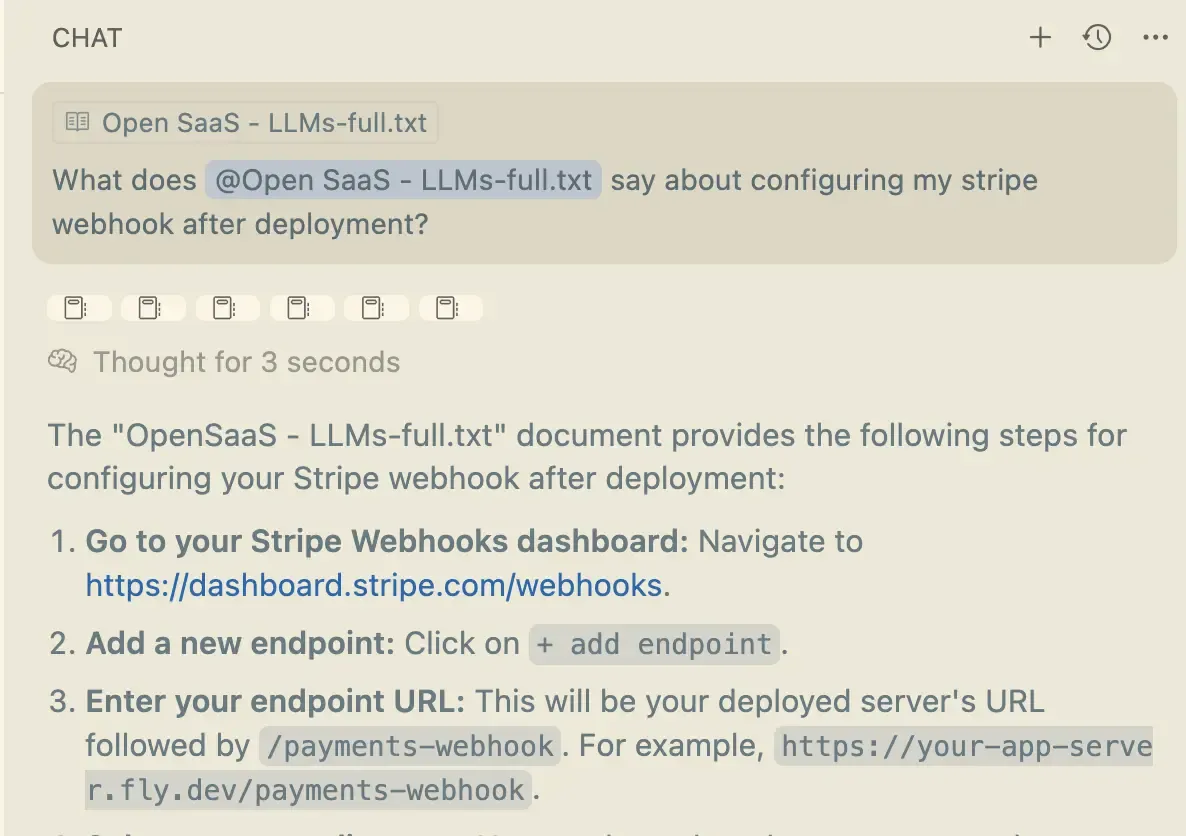
Just add these URLs to your AI coding tool’s chat session or “memory” (e.g. CLAUDE.md, AGENTS.md). When the AI needs to, for example, understand how Wasp auth works or how to set up Stripe payments in Open SaaS, it has the full, up-to-date docs right there.
And it’s not just Open SaaS and Wasp. Most developer tools and integrations have adopted the llms.txt standard. Try appending /llms.txt to any tool’s docs URL and see what comes back. You’d be surprised how many services already support it. When you’re implementing a new integration, pass its llms.txt to your coding agent so it has good guardrails for development.
Another pro tip: when you’re working on a specific feature, search the tool’s docs for the relevant guide and look for a “Copy for LLMs” button. Many doc sites now offer this. Or just try adding .md to the end of a specific URL to get an LLM-friendly version of that page. For example, Stripe’s guide on SaaS subscriptions is available at https://docs.stripe.com/get-started/use-cases/saas-subscriptions.md. Pass that to your agent and it’ll have the knowledge it needs to implement Stripe subscriptions correctly.
2. Full-Stack Debugging Visibility
AI can write code all day, but if it can’t tell whether the code actually works, you’re constantly stuck in the middle, running the app, checking the browser, copying error messages back and forth.
The fix is giving your AI tool full-stack visibility into what’s happening when the code runs, so it can see the errors, and fix them without you having to always intervene.
- Background dev server: Run your dev server as a background task so the AI can see server logs, compilation errors, and runtime exceptions in real time. In Claude Code, you can use background tasks (Ctrl+B) to keep
wasp startrunning while you work, or just tell it to “start the dev server as a background task”. - Browser automation: Tools like Chrome DevTools MCP or Vercel’s agent browser let AI see what’s actually rendering in the browser — console errors, network requests, DOM state — without you having to screenshot anything. The AI can verify that the button it just added actually appears on the page and handles clicks correctly.
Together, these create a tight feedback loop: AI writes code → sees the result → spots the error → fixes it → verifies the fix. This improves the quality of the code it generates, and makes the entire process less tedious and more efficient.
Getting Started: From Zero to Vibe Coding
Ready to try it? Here’s how to go from nothing to vibe coding a SaaS in a few minutes.
Step 1: Install Wasp and Get the Template
npm i -g @wasp.sh/wasp-cliwasp new my-saas -t saascd my-saasThis scaffolds a new Open SaaS project with auth, payments, email, file uploads, an admin dashboard, a landing page, and more — all pre-configured and ready to go.
Step 2: Set Up Claude Code with the Wasp Plugin
After installing Claude Code, add the Wasp plugin so that it has deep knowledge of the framework, as well as skills and instructions on how to properly use full-stack debugging visibility, llms.txt docs, and more:
claude plugin marketplace add wasp-lang/wasp-agent-pluginsclaude plugin install wasp@wasp-agent-plugins --scope projectThen, in a new session, run the plugin initialization skill command to initialize the plugin with Wasp best practices for your project:
/wasp-plugin-initStep 3: Get Integrations Working (Stripe, Email Sender, OpenAI, etc)
Next, you’ll want to get your payment, email sender, and other integrations working (Stripe, Email Sender, OpenAI, etc) before you start building features.
Luckily for you, we’ve got a complete walkthrough video that guides you step-by-step through creating accounts, adding your API keys, and getting each integration working:
Or if you want your agent to help guide you through the process, you can ask it to fetch the “getting started” guide from the Open SaaS LLMs.txt docs and follow the instructions step-by-step.
Step 4: Start Building
Fire up your database and dev server:
wasp start dbwasp startOr just tell Claude Code to run start the dev server as a background task and it will run the correct commands for you :)
Now it’s finally time to give Claude Code a real feature request — “add a user settings page where users can update their profile” — and watch it reference the Wasp config file(s) to understand your app’s structure, reference the right patterns from the boilerplate, and implement the feature correctly.
Because Wasp is opinionated, Claude won’t have to guess where to put files, how to wire up routes, or which patterns to follow. It reads the config file(s), sees the existing conventions, and follows them. You get consistent, working code on the first try — or pretty close to it.
FAQ
- What's the difference between AI-native platforms and AI coding tools?
- AI-native platforms like Replit, Lovable, and Bolt.new aim for a zero-config experience where you describe what you want and get a working app. AI coding tools like Claude Code, Cursor, and Codex work directly with your codebase, giving you full control and no vendor lock-in. AI-native platforms are great for quick prototypes but hit a ceiling as complexity grows, while AI coding tools require more setup but produce more maintainable, production-ready code, and can actually be cheaper in the long run.
- Can I export my code from Replit, Lovable, or Bolt.new?
- Yes, all three platforms let you export your code via GitHub sync or ZIP download. However, the exported code is often tightly coupled to their infrastructure — for example, Lovable generates code wired into Supabase, and Replit uses proprietary auth, storage, and database solutions. This means significant refactoring is needed if you want to deploy elsewhere or switch services.
- What is llms.txt and why does it matter for vibe coding?
- llms.txt is a structured documentation file in plain text format, purpose-built for LLMs. It gives AI coding tools like Claude Code up-to-date knowledge about the frameworks and tools you're using, reducing hallucinations and outdated code suggestions. Most developer tools now support it -- just append /llms.txt to any tool's docs URL to check.
- What is the best free SaaS boilerplate starter for AI-assisted development?
- Open SaaS is a free, open-source SaaS boilerplate for React, Node.js, and Prisma apps powered by the Wasp framework. It comes with auth, payments (Stripe, Lemon Squeezy, or Polar.sh), email sending, file uploads, an admin dashboard, and more, all pre-configured. Because it's built on Wasp, the entire stack is managed by a single framework with a declarative config file. The codebase is organized by feature with backend and frontend code colocated, so AI tools can understand the full app structure from one file instead of navigating multiple apps, packages, and third-party integrations.
- Does codebase structure matter for AI-assisted development?
- Yes, significantly. AI coding tools work best when they can quickly understand the full picture of your app. A codebase organized by feature with colocated fullstack code — like Open SaaS, where backend logic and frontend components sit side by side — gives the AI one clear mental model to follow. In contrast, boilerplates that split code across multiple apps, packages, and third-party integrations require the AI to navigate more files and follow more indirection, which increases the chance of inconsistencies and errors.
- How do I set up Claude Code for full-stack SaaS development?
- Install Claude Code, then add the Wasp plugin for deep framework knowledge. Create a new Open SaaS project with 'wasp new my-saas -t saas', set up your integrations (Stripe, email, etc.), and run 'wasp start' as a background task so Claude Code can see server logs and errors in real time. Pair this with browser automation tools like Chrome DevTools MCP for full-stack debugging visibility.
Conclusion
The best way to vibe code a SaaS in 2026 isn’t about finding the flashiest AI tool, it’s about giving your AI tool the right foundation to work with.
We suggest using Claude Code and giving it three things: a strong SaaS boilerplate starter kit, like Open SaaS, that gives AI a solid foundation to work with, LLM-friendly docs that help AI stay grounded without burning context, and full-stack debugging visibility that closes the feedback loop.
Open SaaS + Claude Code gives you all of this: a free, open-source, production-ready SaaS foundation, the structure and conventions AI needs to generate clean, consistent code, complete LLM-friendly docs for both the template and the framework, and the tools for full-stack debugging visibility. And because it’s all free and open source there’s no upfront cost, no vendor lock-in, and you can deploy wherever you want.
You spend your time on business logic and product, not the boring stuff.