Skip to content

Matija

3 posts by Matija

Good Specs, Right Tools, Weeks to Production: How a PM Built an Emergency Preparedness SaaS with Open SaaS

Piotr Ciechowicz is a Product Manager at PepsiCo, where his day job is PowerBI dashboards, data pipelines, and enormous Excel files. On the side, he builds. His latest project, Chroni, is a multi-language emergency preparedness SaaS built entirely on Open SaaS and Wasp. He has a detailed emergency plan, and thinks your family should have one too.


Tell us about yourself, and what actually pushed you to build something.

My day job is PowerBI dashboards, data pipelines, enormous Excel files. I love it, but it doesn’t scratch the itch of building something I actually want.

That itch started when I became a dad. I realized that comfort and safety means being prepared for anything. Diapers? Check. Band-aids? Check. But the list kept growing: pandemic, blackout, heat wave. My inventory stockpile got larger, things started expiring, so I introduced a kanban-like monitoring system for stock rotation.

Then I came across emergency handbooks, the kind that tell you what to do when things go south. In the US, there’s a whole ecosystem of tools. In Europe, this meant mostly PDFs buried on a government website. As a parent, that bothered me. That’s how Chroni became a thing.


What did you actually build, and what’s under the hood?

Chroni is a browser-first emergency preparedness SaaS, multi-language, built for European families who want to be actually ready, not just have a PDF somewhere.

The content foundation is official emergency recommendations. I sourced handbooks from agencies across countries, BBK in Germany, RCB in Poland, and others, and extracted the core: what inventory you need, what emergency scenarios are covered, and how to act when they happen. The tricky part was harmonisation: BBK says one thing about water storage, RCB says something slightly different. I had to find universal best practices while preserving country-specific nuances, critical both for the guides and the inventory templates.

On top of that, I built:

  • Emergency guides and quizzes
  • Inventory management with a template of over 90 items, including emergency bag contents
  • A family emergency plan
  • Full multi-language support, currently English, German, and Polish
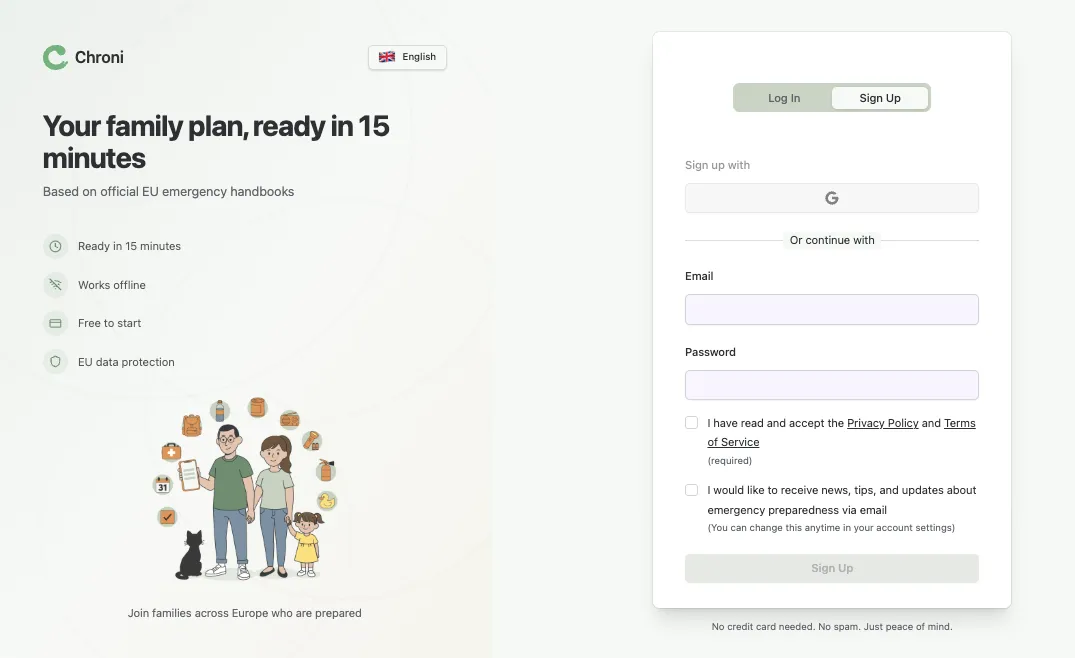
Chroni's sign up page, a multi-language emergency preparedness SaaS with Google OAuth, built on Wasp and Open SaaS.

You’re a PM, not an engineer. How did you pick a stack, and why Open SaaS?

Being a PM actually helped. I specced things out before touching any tooling, without falling in love with ideas or technology.

What I needed was clear: browser-first SaaS with auth and user management, payments, full-stack without having to stitch frontend, backend, and auth myself, which would have driven me mad before shipping. And it had to be AI-friendly. I used Claude Code throughout.

I looked at a few boilerplates. They felt messy. Then I found Open SaaS and Wasp.

Wasp describes itself as a full-stack React + Node.js + Prisma framework with superpowers. That’s accurate, but for me the biggest differentiator was simpler: it thinks in products, not in files. And it met every criterion I had.

Open SaaS took it even further. From the first git clone, I immediately had:

  • Authentication, email and Google OAuth out of the box
  • Stripe integration, subscription management and webhook handling, done
  • Admin dashboard with user management
  • Landing page, ready to modify
  • Transactional email, configured and ready
  • Background jobs, for scheduled reminders, expiration date tracking, anything I’d need later

I didn’t have to build any of that. The only task was replacing the demo content with Chroni. That saved me weeks, maybe months, of trial and error.


Did you consider no-code tools like Lovable or Replit?

I tried both. I just didn’t want to argue with a middleman, because that’s basically what it is. With Replit or Lovable it felt like I’m writing to an agency, like some sales guy trying to sell me things. Something is happening, and then I can chat with a chatbot that delivers code. I didn’t feel like I could really affect anything. With Replit specifically, it hallucinated a lot, created things I didn’t ask for, and the end result didn’t feel secure.

The problem was that I didn’t feel like I’m in control of things, I just didn’t want to argue with a middleman, because that’s basically what it is.

With Claude Code it’s different, I feel like I have a coworker. A junior, probably. But a coworker. Depending on how I phrase what I want to build, with what constraints and guardrails, it will most likely deliver what I wanted.

Were there specific limitations that pushed you away?

The biggest one was user journey management. I could explain exactly what I needed and in the end get something similar, but not that thing. On top of that, loads of placeholders and phantom pages everywhere. Something that looks nice by the reference but isn’t actually there. And role-based access, specific user roles, scoped access, that just wasn’t possible, or at least it didn’t feel like it was.

There was also a more deliberate reason I stepped away: I didn’t want to use no-code tools, because I wanted to learn how to actually operate AI agents on a real project. Wasp with Claude Code kept me in the loop. I understood what was being built and where it lived.


Walk us through how the development actually worked.

My process was probably different from typical. I didn’t start with code, I started with documents. Typical PRDs, specs, problem statements. I figured that if a vague prompt produces a vague response, well-structured requirements might produce something I could actually ship.

So the workflow was: define what I wanted to build, talk it through with Claude, brainstorm, expand with more context, review and iterate. The end result was a spec I agreed with and knew was buildable.

With specs done, the next challenge wasn’t even code, it was content. Harmonising a dozen emergency handbooks turned out to be a serious data problem I totally underestimated.

On the coding side, Wasp’s structure made a real difference for AI-assisted work. Claude Code had a clear pattern to follow, it understood where an action should go, how to define it, how to wire it up. The .wasp config file gives the model a map of the entire app. That’s not a small thing when context is the precious resource.

The mindset of preparing specs before coding means the coding becomes the easy part.


Where did it actually hurt?

A few places. AI-generated technical debt was real: hardcoded values, placeholders, TODO comments scattered through the codebase. Where my personal discipline fell short, Wasp’s structure picked up the slack.

Deployment on Railway was trickier than expected, and honestly that was my bad. At first I tried to deploy with Claude Code, but Claude by default didn’t know how to do this correctly, which caused bundling: initial builds were packing everything into a single service instead of separating them properly. Once that part was sorted, the builds still failed frequently for different reasons. What worked for me in the end was a GitHub Actions pipeline: pushes to the production repo trigger consistent builds and deploys. It became a reusable template across projects, though I know now there are even better and easier ways to deploy safely.

Auth pages don’t support multi-language out of the box. Chroni is a three-language product, so I had to work around that with CSS, which introduced some UI awkwardness that Claude Code wasn’t great at fixing either.


What would you say to another PM or non-engineer considering Wasp?

If you’re a PM, a designer, anyone who thinks in products rather than in code, I totally recommend Wasp. Paired with Open SaaS, it makes the whole 0 → 1 journey a lot faster. You can go from idea to deployed SaaS remarkably fast. Not “build a landing page” fast. End-to-end app fast.

Wasp’s structure makes AI-assisted development actually work. Heck, even I understood what was what.

Prepare your specs before you write a line of code. The coding becomes the easy part. And lean on Open SaaS, the fact that auth, payments, and the admin dashboard are already there means you spend your time on the one thing only you can build.


Piotr Ciechowicz is a Product Manager and emergency preparedness advocate based in Berlin. You can find Chroni at chroni.eu.
Product Hunt doesn't really work, but you should still use it to launch your product

Many of us have been launching on Product Hunt for a while, and more and more folks have started questioning whether the audience there is genuine and whether it is still worth launching on their platform.

Being fresh out of our latest launch from a week ago, I wanted to share here our first-hand experience and cover three main things:

  • How does launching on Product Hunt look and feel today
  • What we got from the launch
  • How to make (the best) use of Product Hunt for your product

About us - launched 6x, >2,000 upvotes

We’ve launched 6 times on Product Hunt in the last 4 years, won “Top Product” awards (#1 and #5 of the day), and collected over 2,000 upvotes in total. Our last launch was with Open SaaS - an open-source alternative to $300+ SaaS starters.

Make apps for everyone

You will find many articles with advice for launching on PH, and winning stories from those who got featured, but almost nobody shares behind-the-scenes knowledge and what it really took to get there. That is the purpose of this post.

I will guide you through the steps of the launch and comment and share our experiences from each of them. Let’s get started:

Scheduling your launch and creating a “Coming soon” teaser - “let’s exchange upvotes”

Make apps for everyone

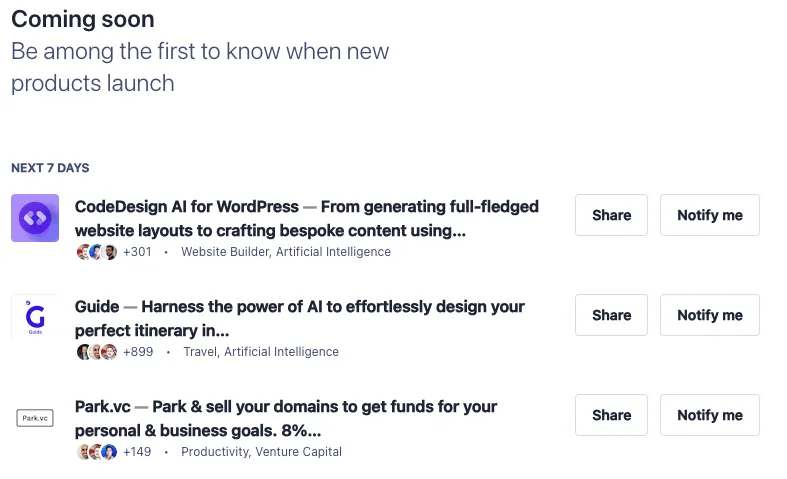
Once you schedule your Product Hunt launch, you can create a banner to appear on their “Coming soon” page (https://www.producthunt.com/coming-soon), and this is where your journey starts. This gives PH visitors an opportunity to see what’s coming next and to subscribe to get notified once it launches, and it is also the first thing you can use for marketing your launch.

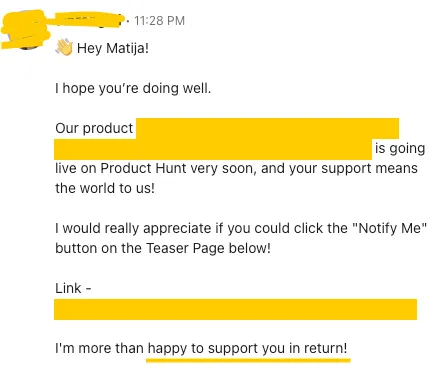
This is also when the PH economy starts - as soon as you publish your launch teaser, you will start receiving offers to exchange upvotes with other people launching their products soon:

Make apps for everyone

This is actually a legitimate strategy (in the sense of shared incentives and not buying votes) that can probably be utilized pretty efficiently via automation. It won’t bring any qualified leads (aka people genuinely interested in your product), but it might help with the upvotes, resulting in the increased visibility and reach of your launch.

We haven’t used this strategy at all (so I cannot testify to its efficiency), since we published our “Coming soon” page quite late, just a day or two before the launch, and we also didn’t have the workflow in place nor manpower to pull it off.

There are also specialized groups on Linkedin, WhatsApp, and other platforms for PH participants to support each other in this way. If you join these, you will, expectedly so, receive even more such messages and requests.

Launch day - unsolicited emails and “buy upvotes” offers

On the launch day, the requests like the one above intensified. I even got several emails from others launching products on the same day asking for an upvote, as they scraped my email and added me to their newsletter.

First 4 hours of the day - hidden upvotes

Product Hunt recently introduced the feature of showing the products in the randomized order, with the upvote count hidden, for the first 4 hours of the day. The idea behind this is to guarantee all products have equal visibility at the start and a fair chance to grab the attention of the audience.

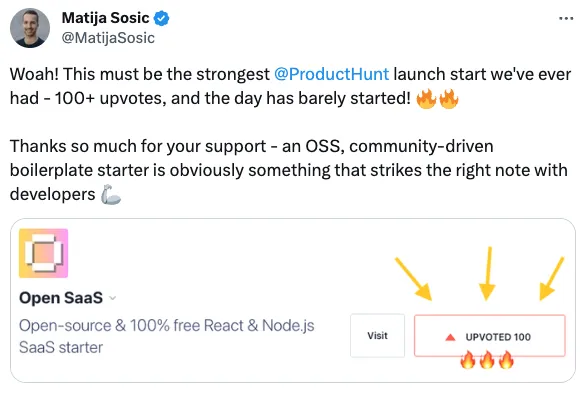
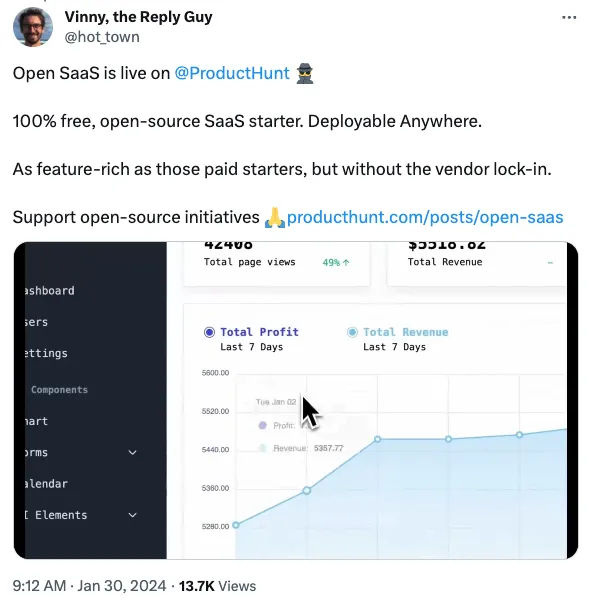
With our latest launch, Open SaaS, we had the best opening ever - 100 upvotes in 4 hours!

Make apps for everyone

We, of course, engaged our network, but also noticed a lot of upvotes and comments from the people we don’t personally know. With such a strong start, I was quite confident we secured our place in the top 5 products on the leaderboard.

Being in the top 5 products is an “above the fold” position on Product Hunt’s home page, so getting there early is the best way to end up there.

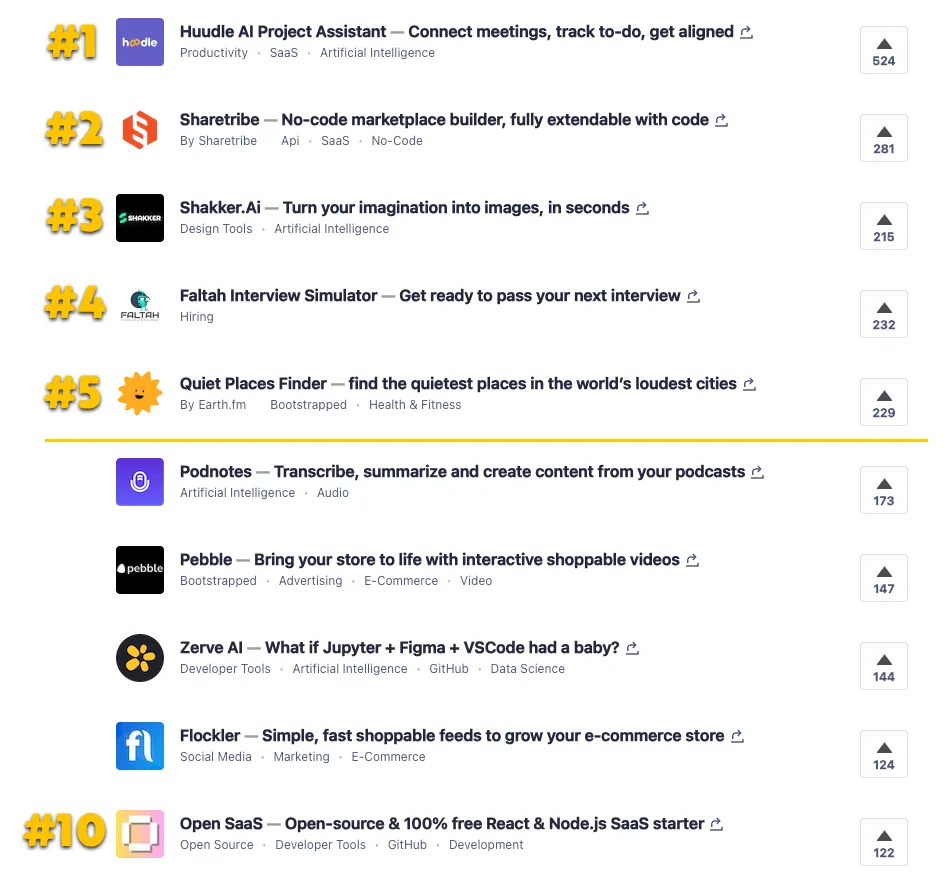
But when the leaderboard was finally revealed, Open SaaS was barely in the top 10 launches of the day!

Make apps for everyone

There was a quite noticeable cut-off between the first five places and the rest, and the product in the first place had almost double the upvotes than the second one. That was fairly demotivating for us as it felt like we had literally zero chance of catching up.

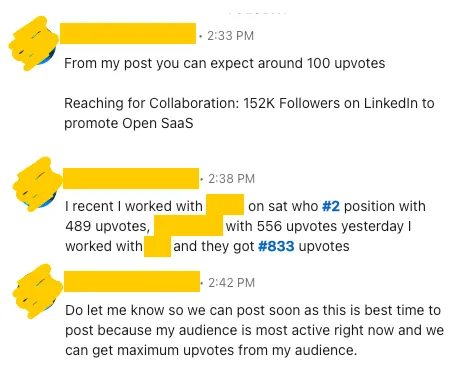
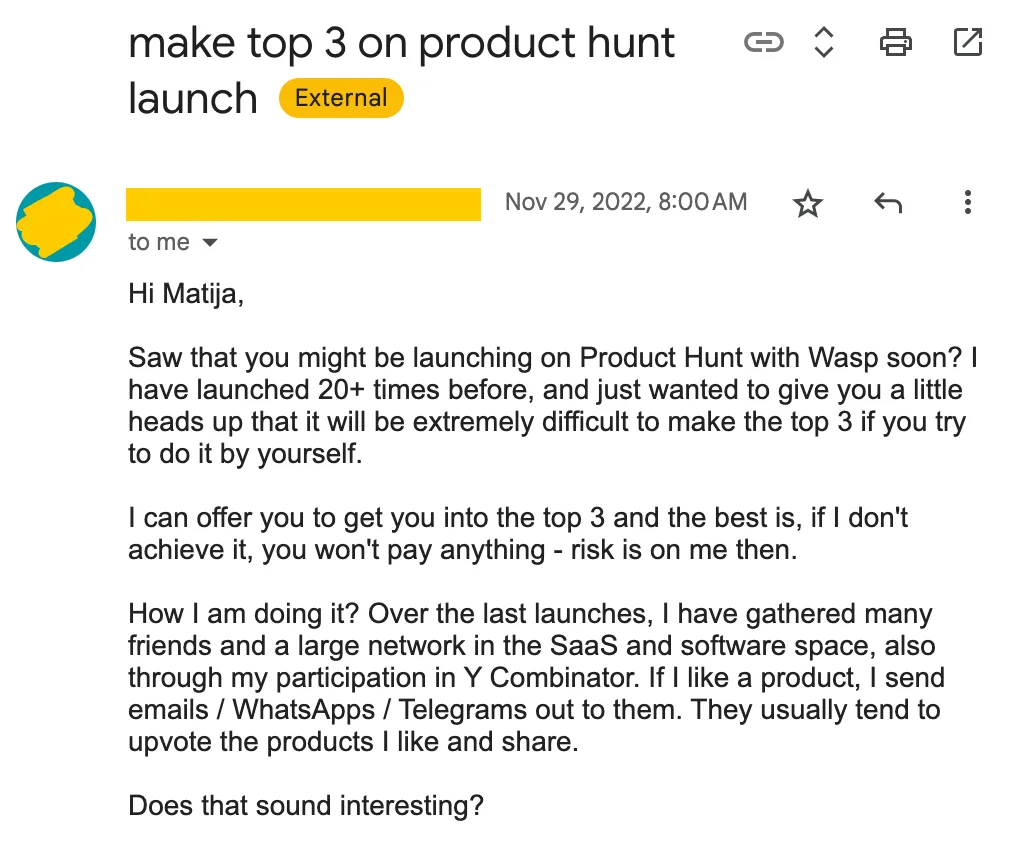
”Hey, wanna buy some upvotes?”

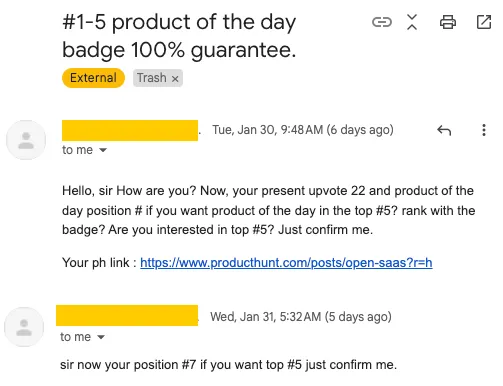
After the leaderboard reveal, we started receiving another type of message - direct offers to buy upvotes. Being still relatively close to being in the top 5 products probably made us a highly qualified lead:

Make apps for everyone

A slight variation of this is having different social media influencers and community owners reach out and offer to market your launch to their followers, promising X upvotes:

Make apps for everyone

Even some of our direct contacts knew “a guy” that could get you to the top of Product Hunt and offered to intro us, so it kinda started feeling like a “public secret”, and us being the rare ones who didn’t know about it.

Make apps for everyone

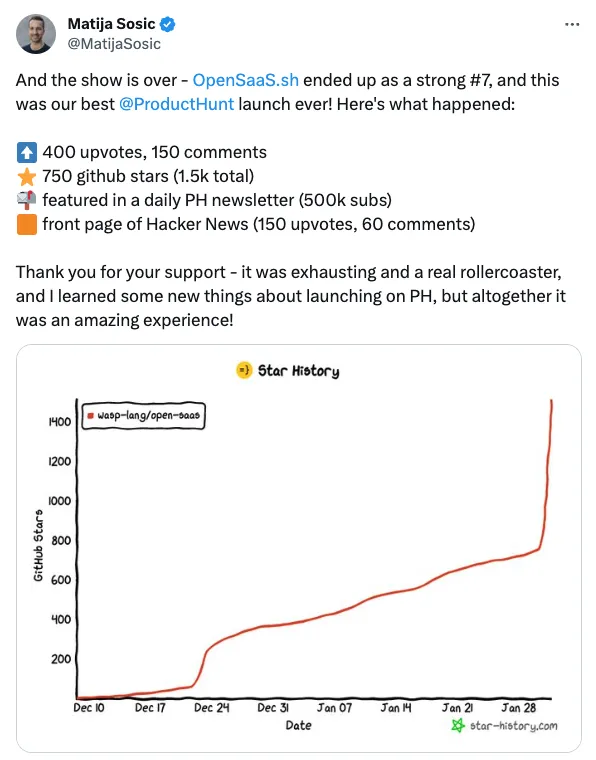
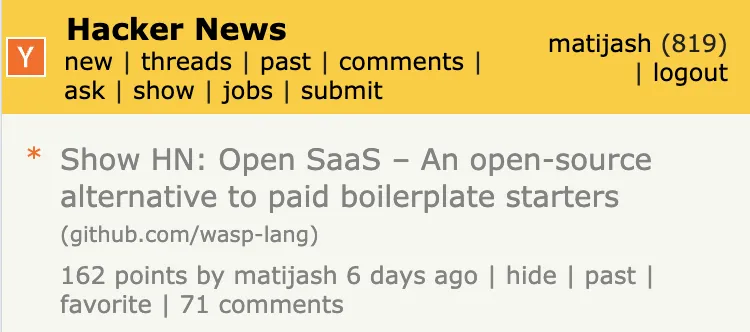
The main benefit of our PH launch wasn’t the launch itself, but rather the fact we could combine it with other things, like launching Open SaaS on HackerNews, where it ended up being featured for about half a day (and much longer on Show HN tab).

Make apps for everyone

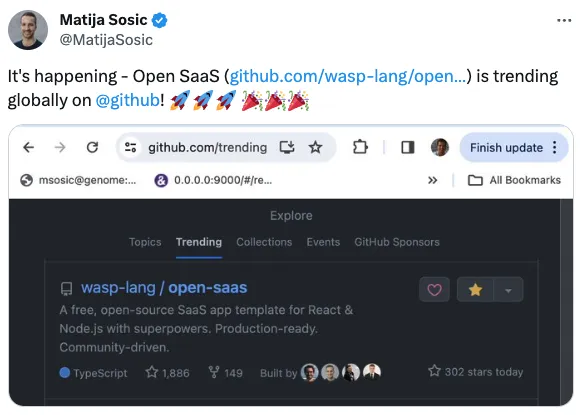
Finally, all that engagement combined allowed us to get trending globally on GitHub, which in turn brought in even more traffic to Open SaaS (today, a week after launching, it has over 2.5k stars).

Make apps for everyone

The resulting traffic

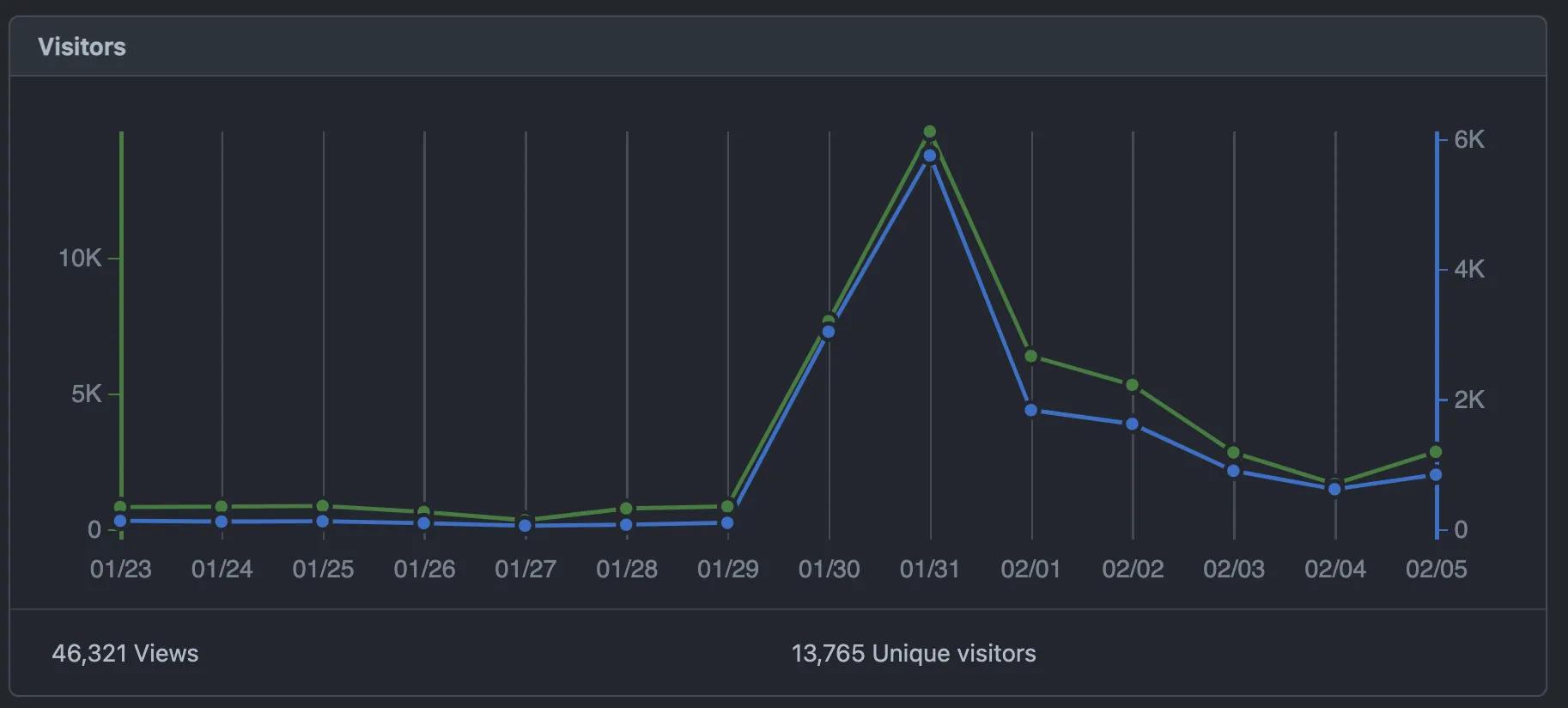
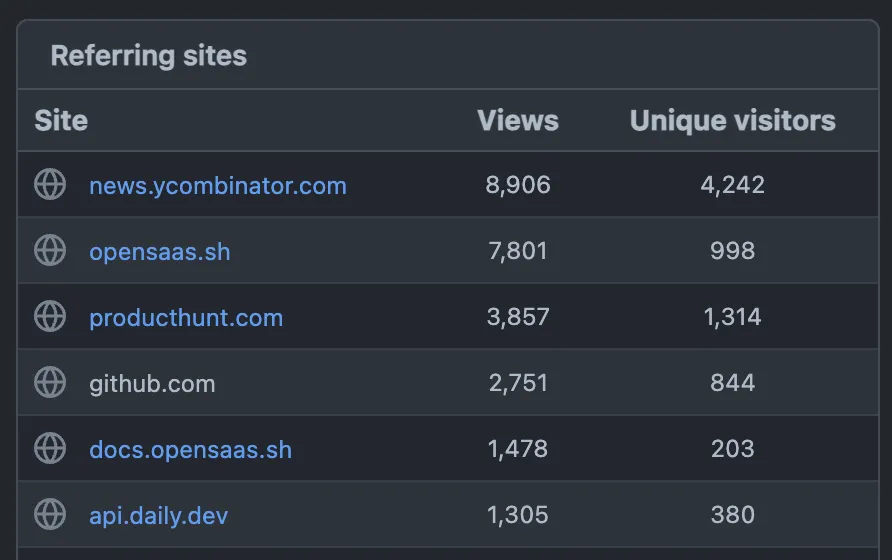
Taking a look at the traffic that was brought to Open SaaS’s repo in the last two weeks, here’s what we can observe:

Make apps for everyone

HackerNews launch brought in more than 3 times more people than Product Hunt. GitHub brought even fewer people to the actual repo, but my gut feeling is that many more of them starred it without leaving the Trending page.

Make apps for everyone

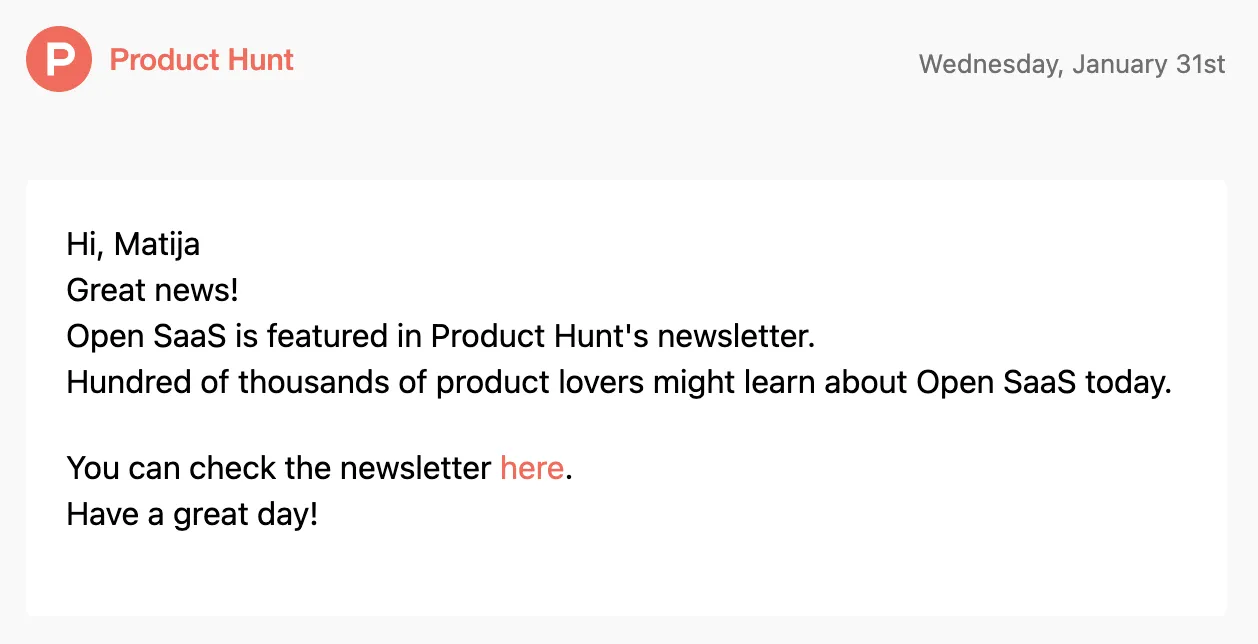

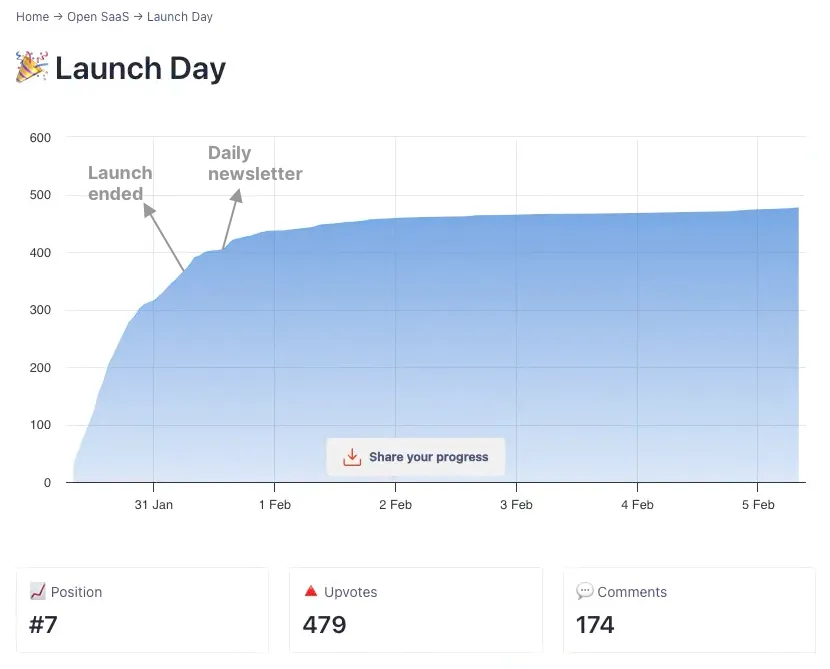
Open SaaS ended the launch as the #7 product of the day, with about ~400 upvotes. The top 10 products of the day end up in a daily newsletter that has over 500,000 subscribers, according to the Product Hunt.

The newsletter starts with 3 big promotional blocks, so you must scroll quite a bit to reach the top products of the previous day.

Make apps for everyone

For us, it didn’t make a huge dent, I think it got us about 20 upvotes. Maybe it was due to the fact we weren’t number one, or simply because it’s quite a deep funnel (open email → scroll all the way down → check all the products → like Open SaaS → decide to upvote it).

Make apps for everyone

Is it even possible to win #1 of the day without any boosting strategies?

Yes, it is definitely still possible. I’ve had it confirmed by a couple of contacts that I trust and who won #1 with their products, without any bots or paying for upvotes. But it’s also definitely become less common and less predictable.

Most of the times we were launching, the product in the first place exhibited some unusual behavior. Once, it was the company that launched the week before, but they just slightly rebranded the product and the website and re-launched it. Another time, a product received a very sudden spike in upvotes just hours before the end of the launch.

So, what does all this mean? Is it still worth launching on Product Hunt?

It is obvious that today, there are different forces and incentives driving the behavior of Product Hunt users from both sides. Initially, there was a community that wanted to learn about the latest products and express their interest, and there were founders that wanted to connect to that community.

Now, there are also creators who foremost want their product to win, no matter the actual audience engagement, as they believe that will help them with their end goal - e.g., reach, fundraising, or social validation towards other users. And there is obviously a side willing to fulfill that demand without having any real interest in the product.

Why is that possible? Product Hunt is taking a lot of measures to detect and prevent such behavior, but it is hard to do it without severely limiting the network effect (aka being able to share your launch link around) that Product Hunt is going for.

Besides all that, for us it is still worth it to regularly launch on Product Hunt. Here’s why.

Product Hunt is an amazing excuse

Product Hunt gives you a unique opportunity to declare an “official” launch of your product. You can decide on which day you want to do it, schedule it, and it’s 100% going to be there for everybody to see, and for you to share and invite people to check it out. You get 24 hours, during which it is fully justifiable to contact everyone you know (and beyond) and keep tooting your horn.

Make apps for everyone

You can’t do that with other high-reach platforms such as Reddit, and HackerNews. You are, of course, free to share the news about your product at any time, but there is no guarantee that anybody will see it (quite the opposite, actually) unless the collective mind of the community decides so, which is all but deterministic. You could easily spend a week preparing your launch post just for it to get drowned by the algorithm in minutes.

That’s why we look at Product Hunt not as the final goal (winning #1) but as simply a part of our overall launch process. It’s a great podium to be standing on, and a good excuse to talk about your product, and anything else on top is just a bonus.

We keep it simple

You will find a lot of articles (and paid courses) from “PH gurus”, explaining how you should prepare your launch months in advance, warm up your audience, prepare comments they will share, etc. We don’t do any of that. We just prepare the content (video + a few screenshots, and an intro comment), and, on the day of the launch, invite everyone we know to support us. Then, during the day, we also post on Reddit, Hackernews, and dev.to.

Make apps for everyone

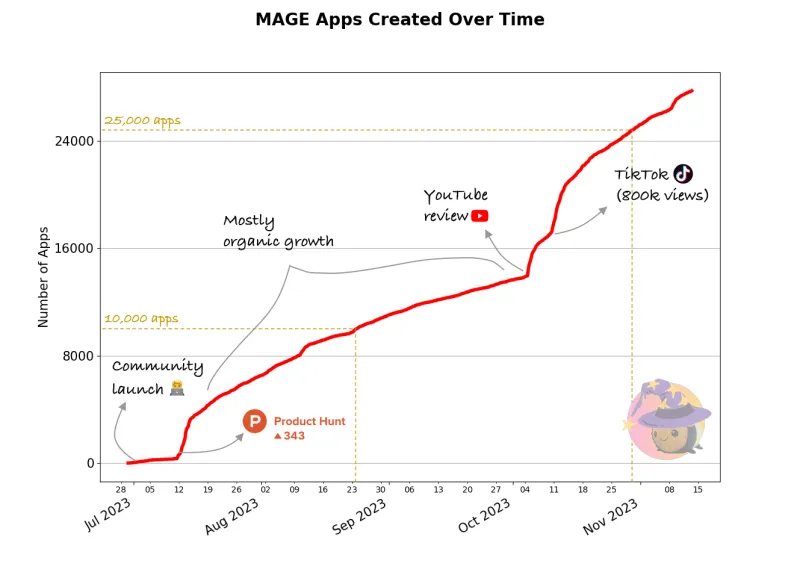
Sometimes we end up in the top 5, sometimes we don’t, but every time, we get a solid uptick in user engagement, and usually something much better follows in the next days/weeks. For example, MAGE, our GPT-powered full-stack app starter, exploded after its PH launch and has been used to create over 30,000 projects in a few months.

We do it often

Our goal is to launch on Product Hunt every 3 months as a part of our Launch Week, and that’s what we’ve done so far. You cannot really launch the exact same product unless 6 months have passed or there’s been a significant update, but you are free to launch other (sub)products and features connected to your main product.

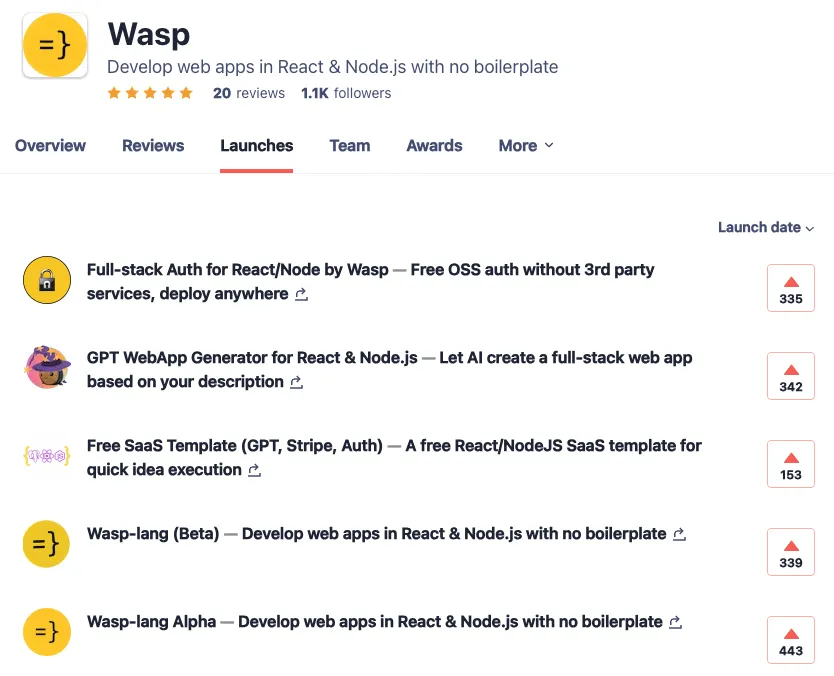
💡 Hint: when you submit a launch, you can ask the PH team to “connect” it to your product so it will appear in a list of launches for that product. Often, they do it on their own. It will look like this:

Make apps for everyone

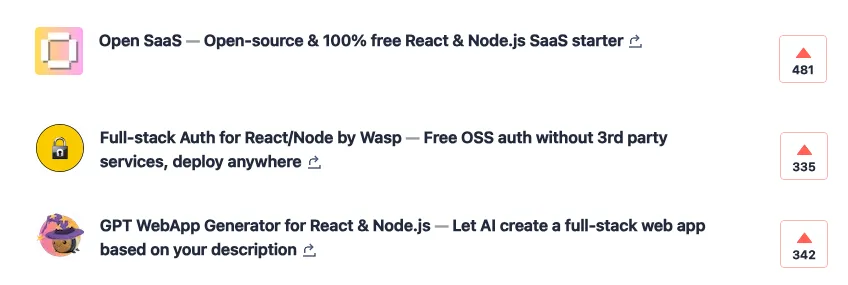
Although our main product is Wasp, a full-stack framework on top of React & Node.js, here’s what we launched so far:

It’s become a regular part of our launch workflow, and for whatever new feature(s) we introduce in that quarter, we’ll look for a good candidate to showcase in the upcoming launch. That allows us to keep talking about what we do, and we also get a lot of good content (e.g., videos, banners) that we can embed in our docs, blog posts, etc.

For example, this is a video showing how auth works in Wasp - first we used it for our Product Hunt launch, and now it lives at the top of our auth docs.

Thanks for reading!

Thanks for reading this far! This turned out to be quite a bit longer post than I initially expected, but I just kept getting more ideas on what to write about. I hope you will find it helpful for planning your next launch and that you will also know a bit better what to expect along the way.

I would also love to get your feedback and hear about your experiences and strategies for launching on Product Hunt.

Happy launching!

Should You Use an Open-source SaaS Boilerplate Starter or a $300+ Paid One?

SaaS boilerplate starters became a very popular thing in the web dev community, and also a pathway to a luxury lifestyle for those behind them, sometimes making north of five figure amounts per month.

Twitter screenshot

On the other hand, there’s also been a rise of the open-source SaaS boilerplate starters, that cover various stacks and offer similar features as their paid counterparts, but completely for free and with an active community alongside.

So, what’s the catch? Why pay $300 or $500 for something that you can simply get for free? Are there any trade-offs you should be aware of, and what are the pros and cons of each option?

As it usually turns out in the real world, the answer isn’t completely black and white and depends on what you need (your requirements) but also what you want (your personal preferences).

The goal of this article is to break these further down and give you an objective, simple framework to follow when choosing a boilerplate starter for your next project. So, let’s get into it!

Why a sudden craze with all these starters? SaaS-es are not a new thing at all

We have all been building web apps and SaaS-es for decades, you may rightfully observe, so why this became a thing just now? It seems like everybody is making their own starter today and getting a ton of excitement (and money) from the community.

The answer is that the complexity of building a SaaS (or in another words, a web app) in the last ten years increased tenfold. Partly it is due to the evolution of the underlying architecture (we switched from monolithic, server-based approach to “rich client ↔ backend”) which introduced more moving parts into the equation, and partly due to the explosion of options for each part of the stack.

If you were about to build a SaaS fifteen years ago, you pretty much knew you’d go with either Ruby on Rails, Laravel, or Django, depending on which language and community you preferred. These would come as a batteries-included solution, give you their best defaults and you’d be up and running in a matter of hour(s). You got a single, well-tested path to follow and not much decisions to make.

If you sit down and try to do the same today, your head would probably get dizzy after a few hour(s) of merely reading about all the possible options you could go with:

  • What to use for the frontend? Something mainstream as React, Vue or Angular, or something more sexy and bleeding edge like Svelte or Solid?
  • Should I use a React framework e.g. Next or Remix? Or just go with React + Vite?
  • Do I need SSR and SSG? Or should I just stick with CSR?
  • What should I use as an API layer? Good ol’ REST, or maybe GraphQL, or maybe even typesafe RPC?
  • What to choose for the backend? Do I use something lightweight like Express.js with Node/Bun/Deno or a full-blown solution such as Nest.js/Django/Rails? Or maybe finally try Phoenix/Livewire combo everybody has been talking about? Do I go serverless or not?
  • What about the database and ORM? Relational or non-relational? Should I write raw queries or use a full-blown ORM such as Drizzle and Prisma? If yes, which one?
  • What are my hosting options? Am I going to get locked in with a single provider? What if I want/need to host my app somewhere else?

These are just some of the questions you need to start thinking about when deciding how to start your SaaS in 2024. As you can see, it’s more then enough to make your head spin and even if you’re a seasoned developer and makes you feel like you need to be a rocket scientist to figure out the right combination.

This is why people today turn to SaaS boilerplate starters and gladly even pay for it. It means somebody else did the legwork and (hopefully) made a sensible decision on the stack which will remain current and easy to maintain in the years to come.

Now that we gave some context to the sudden rise of SaaS starters, let’s back to the original question - why pay for something when there is an open-source, free version of it? Let’s take a look at some of the factors that come to play.

With an open-source SaaS starter, you know exactly what you’re getting into

By the definition of open-source, you can see and examine the full code of the starter in advance, before committing to using it for your project.

Although it’s not likely you will go through every line of code beforehand and try to understand it all (that’s why you’re looking for a starter in the first place), you can check it out and see how you like it - e.g. the style of the code, readability and how well documented and tested it is.

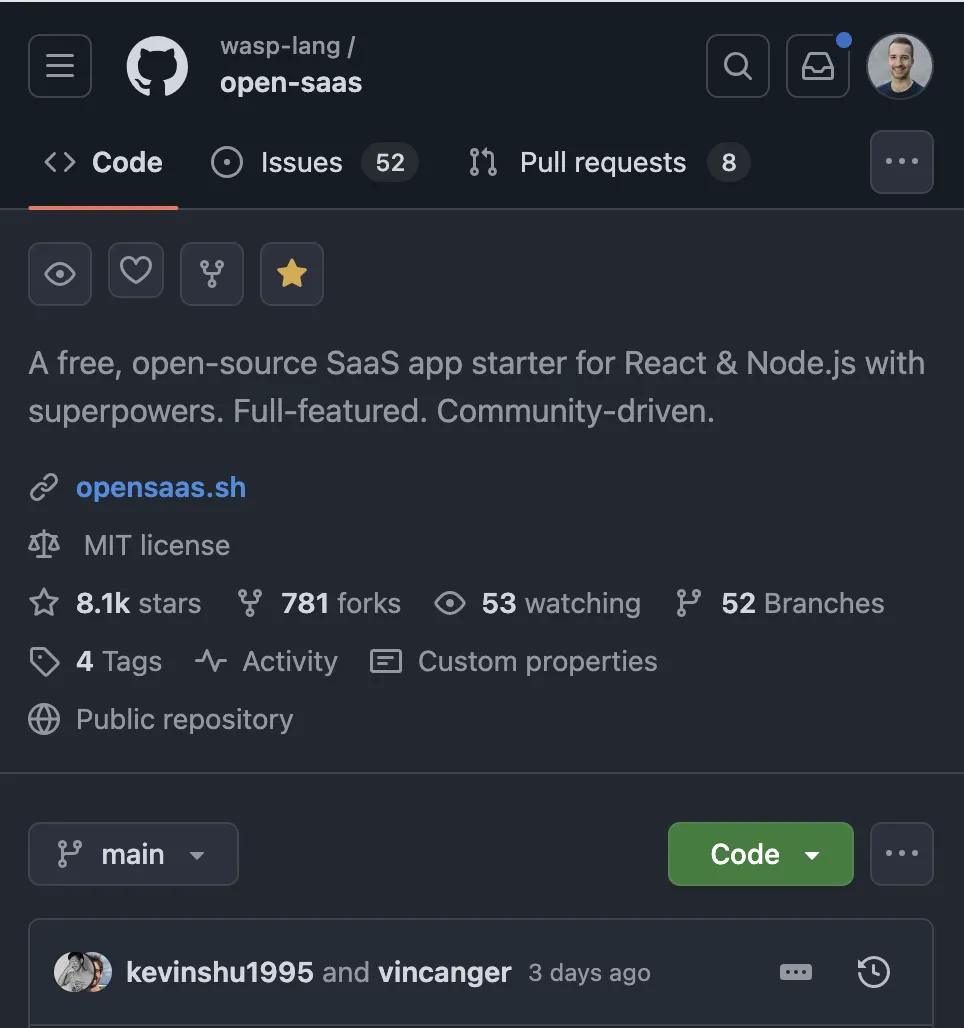
You can also see the repository’s activity stats - number of open and closed issues, features in progress, commit frequency and how fast are things being resolved and new features added.

Open SaaS screenshot

Paid, closed-source starters, again by definition, offer at best a fraction of these benefits. You can see the value proposition as the author designed it - some hand-picked testimonials, a demo and potentially have a peek at the docs.

With a paid starter, you become a member of an exclusive tribe (aka Air Jordans Effect)

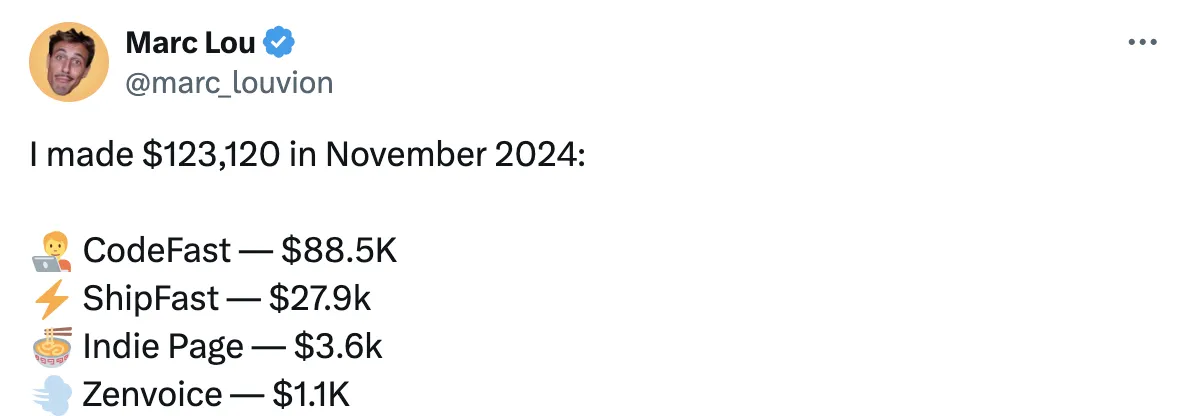
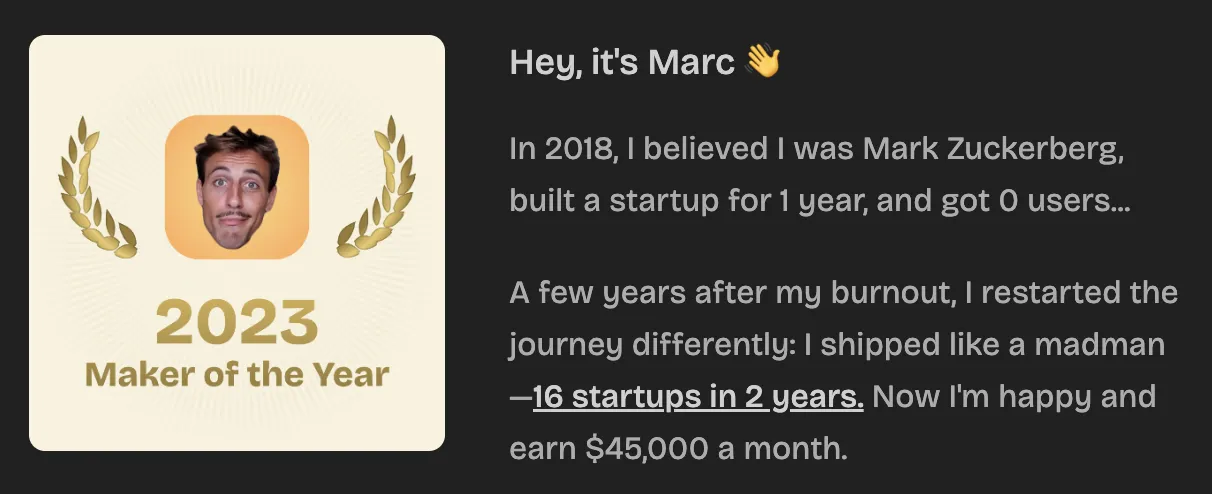
The most popular paid boilerplates today often come from well-known developers, or “indie makers,” who’ve already built successful products. Buying their boilerplate feels a bit like joining an exclusive club—it’s as if you’re tapping into their expertise and using the same tools they once used to succeed.

Marc promo banner

It’s like wearing a jersey signed by a famous athlete or a perfume co-created by a pop star. It won’t guarantee instant success, but it gives you a sense of connection and inspiration. You’re reminded that someone else turned these same tools into something great—and that you could do it too!

In the long run, this mindset might matter even more than the tools themselves. When things get hard, feeling part of that “club” could be what keeps you going, and taking your idea one step further.

Security: in open-source, everyone is a reviewer

Paid boilerplate starters are mostly an effort of a single person. It is the type of project that, past the initial development phase, doesn’t require a full-time attention and is more of a seasonal nature (e.g. updating libraries to the latest versions). That makes it a perfect workload for a single person and also makes it much more profitable rather than splitting the margin with the team. If there was a whole team behind, it probably wouldn’t cost $500, but rather $2000.

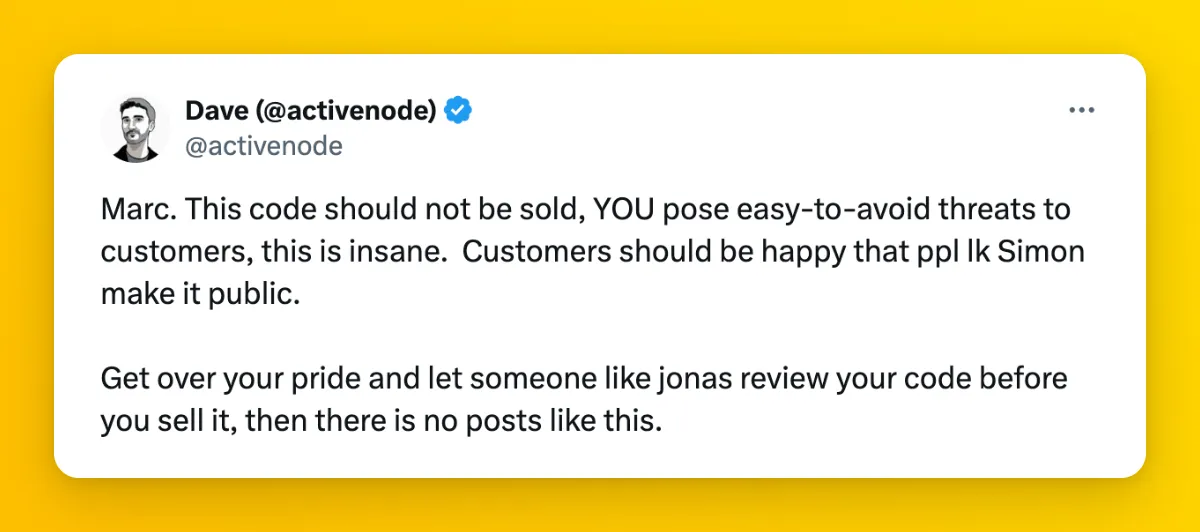
Dave Shipfast tweet

Recently, there was a security incident with one of the popular paid starters that allowed external parties to send unauthorized web hook requests, which caused a lot of ripples in the online community of builders.

It is a good reminder that, while it’s important to ship quickly, security isn’t something that can be skipped over. And while nobody can guarantee the security of any SaaS starter, be it paid or open-source, the fact is that in open-source projects there are much more people involved in both development and code review. Since the code is freely available, you’re also free to review it yourself, use any pen-testing tools on it or ask another expert to check it before committing to it.

With a paid SaaS starter, the bus factor is 1, with open-source you get the full community support!

A paid SaaS starter typically depends on a single maintainer. Since the code is closed source, nobody else has access nor rights to it, and if for any reason the author becomes unable or unwilling to continue working on it, that’s the end of the story. No support, updates, nor anybody to turn to with questions.

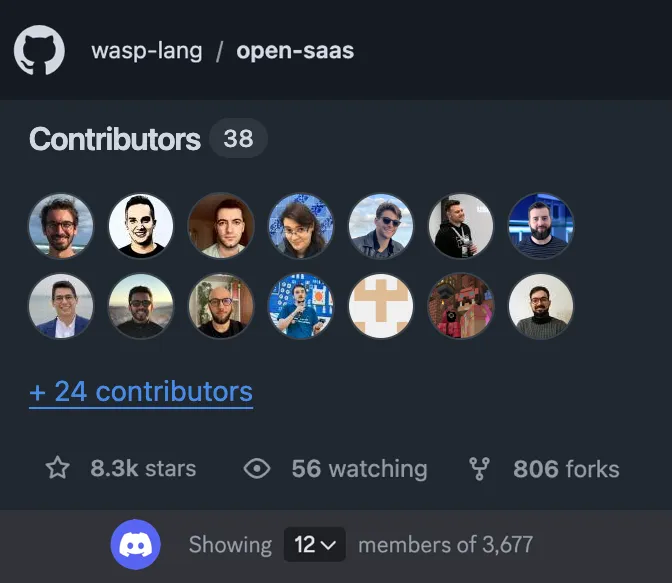
On the other hand, an open-source boilerplate starter like Open SaaS is a living organism, with a number of contributors behind it. As with any open-source project, there will typically be a smaller core team which does the bulk of the work and steers the project (and that might as well be a single person in the start), but anybody can join at any point, and they will. As the project grows and becomes more used, more and more people will start adding fixes and features they need themselves and take ownership of the specific parts.

Open source stats from opensaas

Another thing to account for is it takes a long time for SaaS starter business to become more than a side income, and only a fraction of builders will ever come to that point. That means most of boilerplate creators will still have a full-time job or other engagements going on. Which means they will have a limited time for customer support and adding new features.

Open-source SaaS starter === unlimited updates. Closed source? Sometimes.

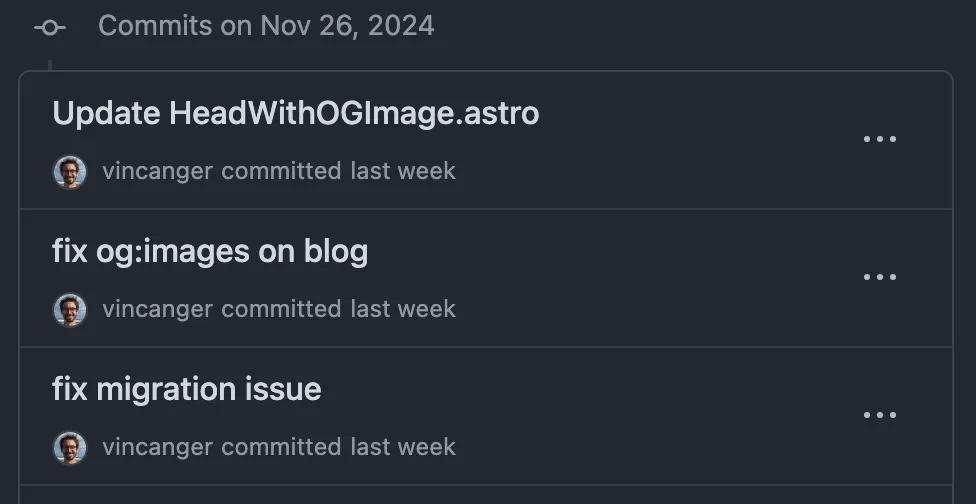
An another direct benefit of the SaaS starter code being open-source is that you will have an immediate access to all the updates, as soon as they get released. That includes both security patches, version bumps and completely new features.

Commits to open saas

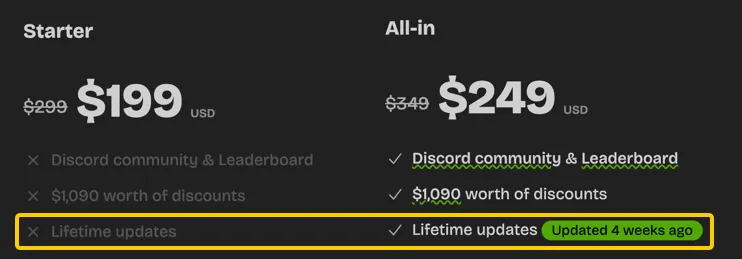
With closed source, it varies a lot from one starter to another. Some offer updates as an upsell (e.g. basic and pro tier), some offer a limited time updates (e.g. 1-year), and some promise a lifetime of updates.

Free updates vs pay for everything

With a paid SaaS starter, you might need to buy a “license” for every new app

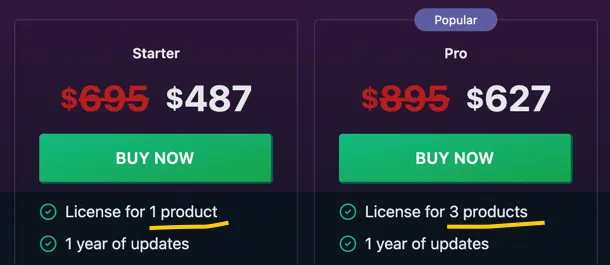
Another thing to be aware of is that, with paid starters, there often might be a limit to the number of apps you are allowed to start with a single starter purchase. It is typically phrased in terms of “licenses”, and if you exceed a limit you’re legally required to buy a new one, although you already own the starter code.

Boilerplate licenses

Again, this is not the case with all paid starters (some offer unlimited projects with a single purchase), but it is a common pattern worth checking before buying.

With an open-source starter, there naturally isn’t any such limit - the full source code is publicly available and you’re free to use it in any way you see fit.

With an open-source SaaS starter, you can add new features yourself!

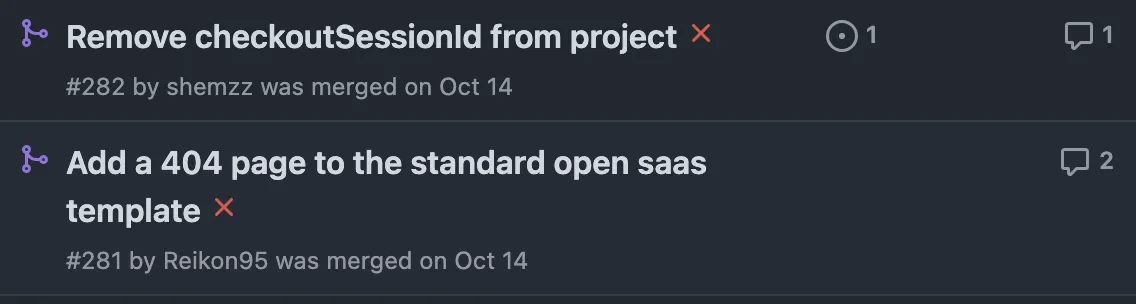
One of the most exciting benefits of the open-source approach is that anybody can contribute! If there is a feature you’re missing or want to improve, you can simply do it yourself it and create a pull request. Then, the core maintainers will review it, give advice and point you in the right direction if needed. Once it gets merged, it is available for everyone to use!

Community contributions

Summary

Now that we have gone through the main differences between open-source and paid SaaS starters, let’s give it a bird’s-eye view:

CostLifetime updatesUnlimited appsMaintainersCommunityAir Jordans EffectEasily contribute
Open-source SaaS starter$0YESYESManyBig, publicRarelyYES
Paid starter$300+DependsDependsTypically oneSometimes, privateOftenNo

This is a useful list to be aware of when making a decision which route to go, but in the end there is no one answer that will fit all. Your decision will depend on what exactly you’re looking to build and which tech stack you prefer using.

Also, the factors above will not be equally weighted by everyone - one person might be excited about being a part of a wider community and being able to easily contribute to the project, while other most appreciate the fact there is a strong online personality they can follow and get inspired.

In the end, the only important thing is to take action and successfully ship that application you’ve been thinking about for so long. Good luck!